Custom AI Implementation

Build AI around your workflows, systems, and business constraints.

InitializeAI designs and implements AI-enabled workflows, internal tools, document intelligence, copilots, dashboards, and decision-support systems that fit your data, systems, governance requirements, and adoption path.
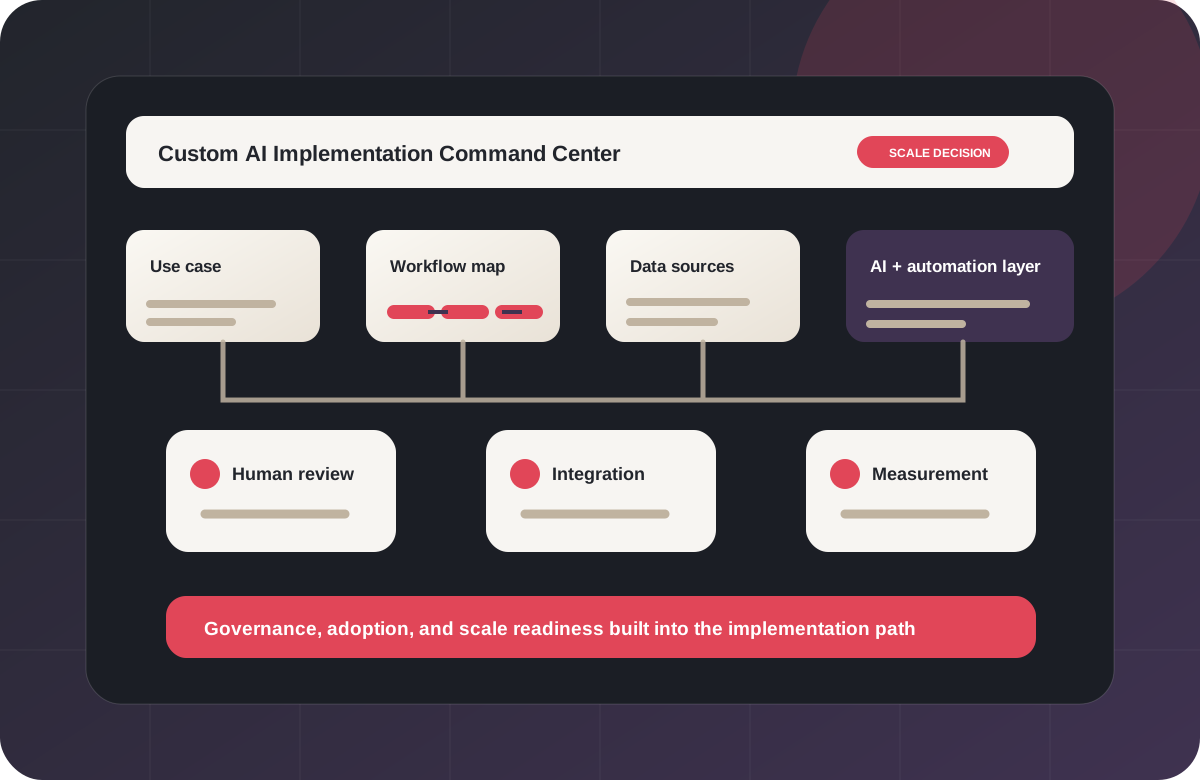

Workflow-first implementation Data and integration review Human oversight Governance-aware design Pilot-to-scale roadmap Internal tools Document intelligence Public-sector ready
Custom AI implementation command center showing use case, workflow map, data sources, AI layer, human review, integration, governance, measurement, and scale decision. Custom AI implementation build and integration work.
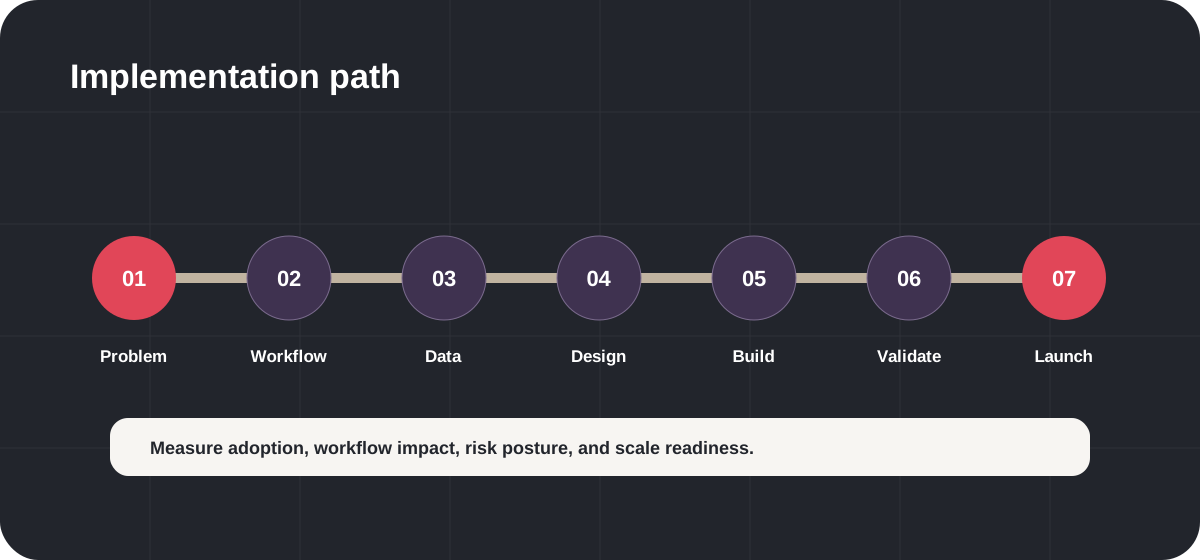
Implementation path Use case, workflow, data, governance, build, launch, measurement, and scale decision.

Why Custom AI

Custom AI makes sense when the workflow is too important for a generic tool.

Off-the-shelf AI tools can be useful, but many organizations need AI that fits specific workflows, permissions, data sources, systems, review paths, and operating constraints. InitializeAI helps define, design, and implement AI around the work - not the other way around.

Your workflow is unique

Generic tools rarely understand your approvals, handoffs, data sources, exceptions, and human review points.

Your data needs boundaries

Custom AI work should clarify what data is needed, what stays out of scope, who can access it, and how outputs are reviewed.

Your systems need integration

AI value often depends on connecting to existing CRMs, ERPs, ticketing tools, documents, databases, portals, and reporting workflows.

Your risk level matters

Sensitive workflows require governance, human oversight, vendor/model review, security review readiness, and documentation.

Your users need adoption support

The best system fails if users do not trust it, understand it, or know how to use it inside the workflow.

Your leaders need a scale decision

Custom AI should be measured through adoption, quality, risk posture, workflow impact, and whether it deserves to scale.

Implementation Fit

When custom AI implementation is the right path.

Custom implementation is strongest when a high-value workflow needs a tailored system, not another disconnected tool.
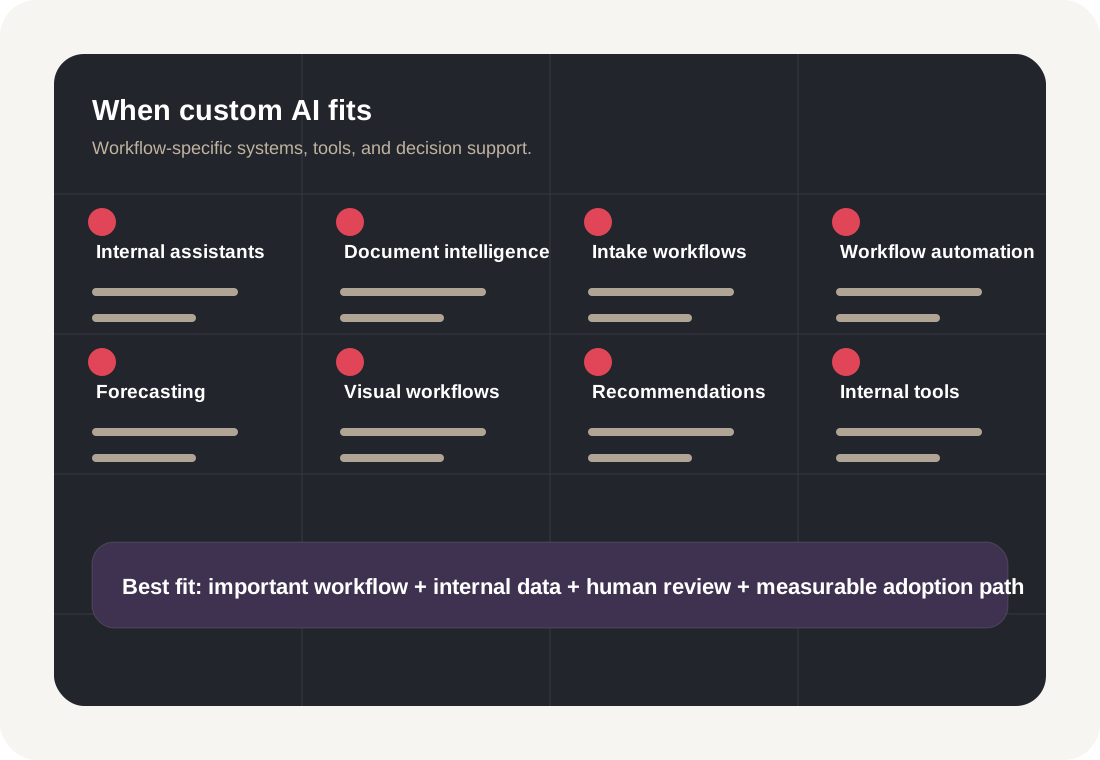
Custom AI fit matrix showing internal assistants, document intelligence, intake workflows, workflow automation, forecasting, computer vision, recommendations, and internal tools.

Internal knowledge assistant

Use case
Help staff find policies, procedures, documents, FAQs, requirements, and institutional knowledge.
Good for
Government, education, nonprofit, professional services, SaaS, operations.

Document intelligence workflow

Use case
Classify, summarize, route, compare, and review documents with human oversight.
Good for
Procurement, contracts, grants, finance, legal, HR, compliance.

AI-enabled intake and triage

Use case
Assist with requests, forms, cases, applications, support tickets, or service inquiries.
Good for
Public sector, education, nonprofits, customer operations, internal support.

Workflow automation and routing

Use case
Automate repetitive review, routing, summarization, and status workflows while preserving accountability.
Good for
Operations, service delivery, back office, field service, finance, HR.

AI copilot for a team or role

Use case
Support specific users with task guidance, drafting, retrieval, analysis, or decision support.
Good for
Program managers, analysts, service teams, product teams, sales, operations.

Forecasting and decision support

Use case
Support demand planning, resource planning, prioritization, or risk signals.
Good for
Operations, logistics, finance, workforce, public-sector planning.

Computer vision and evidence workflows

Use case
Use image or video analysis for inspection, proof capture, asset review, document images, or workflow verification.
Good for
Manufacturing, field service, facilities, logistics, public works.

Recommendation and personalization

Use case
Support product, content, learning, resource, or service recommendations with measurable adoption and review.
Good for
SaaS, education, ecommerce, content platforms, workforce programs.

Implementation Path

The InitializeAI custom AI implementation path.

Implementation starts before code. We define the business problem, workflow, data, governance, users, integration path, and measurement model before building.

Scoping and discovery for custom AI implementation.
01

Define the business problem

Clarify the outcome, operating owner, user, workflow, pain point, and decision the AI system should support.

  • Problem statement
  • Outcome definition
  • User and owner map
  • Success criteria
Design and architecture for custom AI implementation.
02

Map the workflow

Identify handoffs, systems, inputs, outputs, review points, exceptions, and adoption constraints.

  • Workflow map
  • Before/after process
  • Human review points
  • Adoption assumptions
Build and integration for custom AI implementation.
03

Review data and systems

Understand data sources, quality, access, sensitivity, integrations, permissions, and system dependencies.

  • Data/source inventory
  • Integration map
  • Data readiness notes
  • Security review inputs
Validation and launch for custom AI implementation.
04

Launch, train, and measure

Prepare users, document workflows, monitor adoption, capture lessons learned, and decide what should scale.
  • Training materials
  • Launch plan
  • Measurement report
  • Scale recommendation
Custom AI implementation timeline showing problem definition, workflow mapping, data review, AI design, build, validation, launch, and measurement.

Design the AI approach

Select the right implementation path: retrieval, automation, classification, summarization, forecasting, computer vision, copilot, dashboard, or hybrid workflow.

Build and integrate

Develop the prototype or implementation using iterative delivery, integration planning, user feedback, and governance-aware design.

Govern and validate

Test quality, review outputs, define human oversight, document risks, and prepare for security or procurement review.

What We Build

Custom AI implementation can take many forms.

The right build depends on your workflow, data, users, risk level, and adoption path.

Document intelligence and natural language processing workflow.
Document intelligence

Document intelligence and NLP

AI-enabled workflows that read, summarize, classify, extract, compare, retrieve, and route information from documents and knowledge bases.

Examples
  • Contract and policy review support
  • Grant reporting support
  • Internal knowledge assistants
  • Document classification and routing
Governance notes

Source grounding, access boundaries, output review, sensitive data handling, and human approval.

Forecasting and decision support dashboard.
Decision support

Forecasting and decision support

Models and dashboards that help teams understand demand, trends, risk signals, resource needs, and operational planning questions.

Examples
  • Demand forecasting
  • Resource planning
  • Program performance indicators
  • Executive dashboards
Governance notes

Data quality, interpretation, confidence, human decision authority, and monitoring.

Computer vision and visual workflow support.
Visual workflows

Computer vision and visual workflows

Image and video-based workflows for inspection, quality review, asset condition, document images, field evidence, and visual process support.

Examples
  • Defect detection
  • Visual inspection
  • Asset condition review
  • Document image processing
  • Inventory or shelf analysis
Governance notes

Privacy, human review, confidence thresholds, false positives/negatives, and approved use boundaries.

Recommendation and personalization system.
Recommendations

Recommendation and personalization systems

Recommendation systems that help users find relevant products, content, resources, learning paths, next actions, or services.

Examples
  • Product recommendations
  • Learning path recommendations
  • Resource matching
  • Workforce pathway suggestions
Governance notes

Fairness, transparency, feedback loops, user control, and measurement.
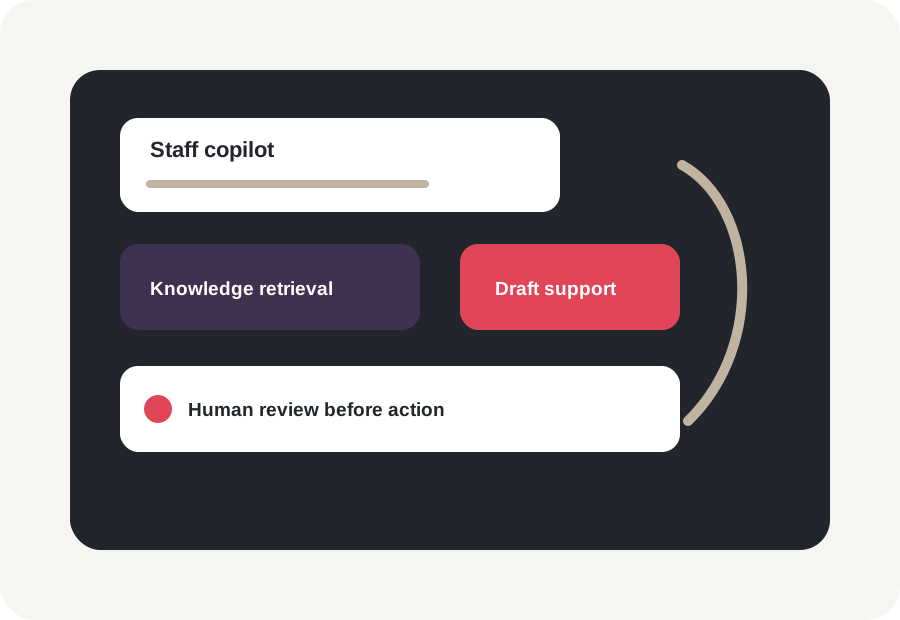
Internal AI copilot visual showing staff assistant, knowledge retrieval, drafting support, human review, and workflow guidance.
Copilots

Internal AI copilots

Role-specific assistants for staff who need drafting, retrieval, analysis, workflow guidance, or decision support inside a defined process.

Examples
  • Operations copilot
  • Program manager assistant
  • Procurement assistant
  • Policy and knowledge assistant
Governance notes

Scope limits, output review, data access, escalation, and training.
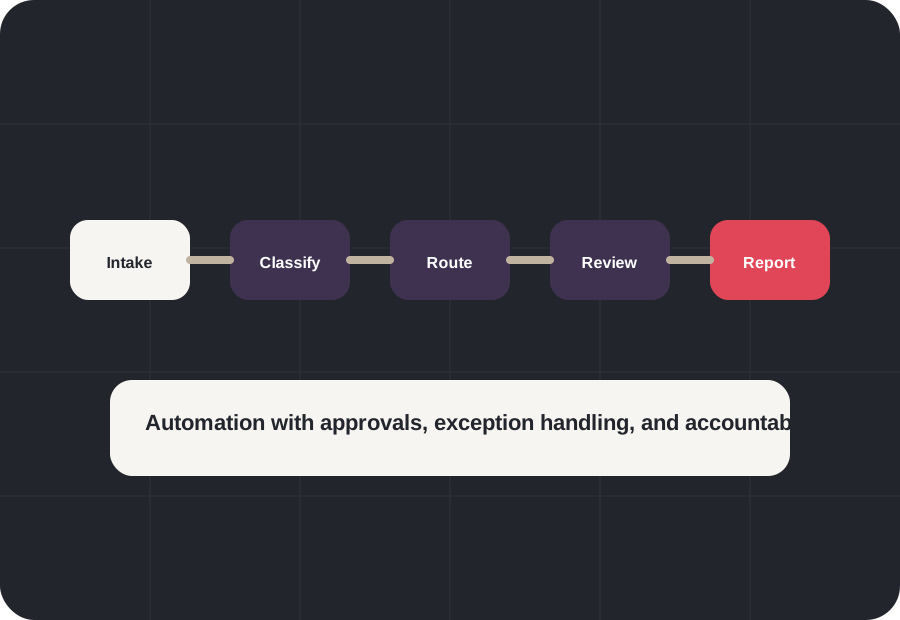
AI workflow automation system showing intake, classification, routing, summarization, review, approval, and reporting.
Automation

Workflow automation systems

AI-assisted workflows that reduce repetitive intake, triage, summarization, routing, status updates, and review tasks.

Examples
  • Intake automation
  • Case routing
  • Support triage
  • Public-sector service workflows
Governance notes

Human approval, auditability, exception handling, and operational accountability.
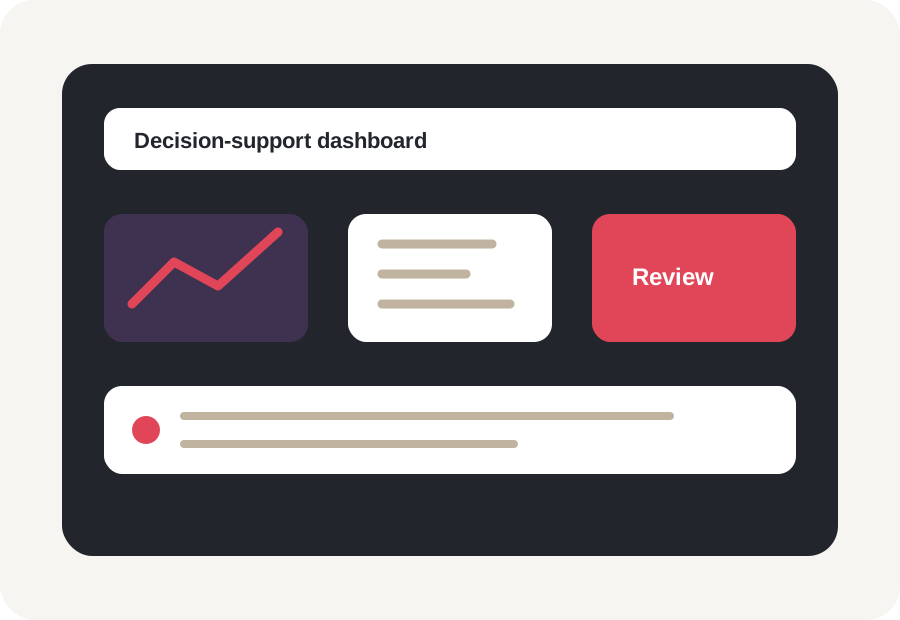
AI decision-support dashboard showing forecasts, operational signals, workflow metrics, risk indicators, and adoption measures.
Dashboards

Dashboards and intelligence layers

Decision-support dashboards and intelligence layers that help leaders and teams see signals, blockers, trends, and next actions.

Examples
  • Executive dashboards
  • Program dashboards
  • Operations intelligence
  • Adoption dashboards
Governance notes

Data definitions, interpretation, decision authority, and review cadence.
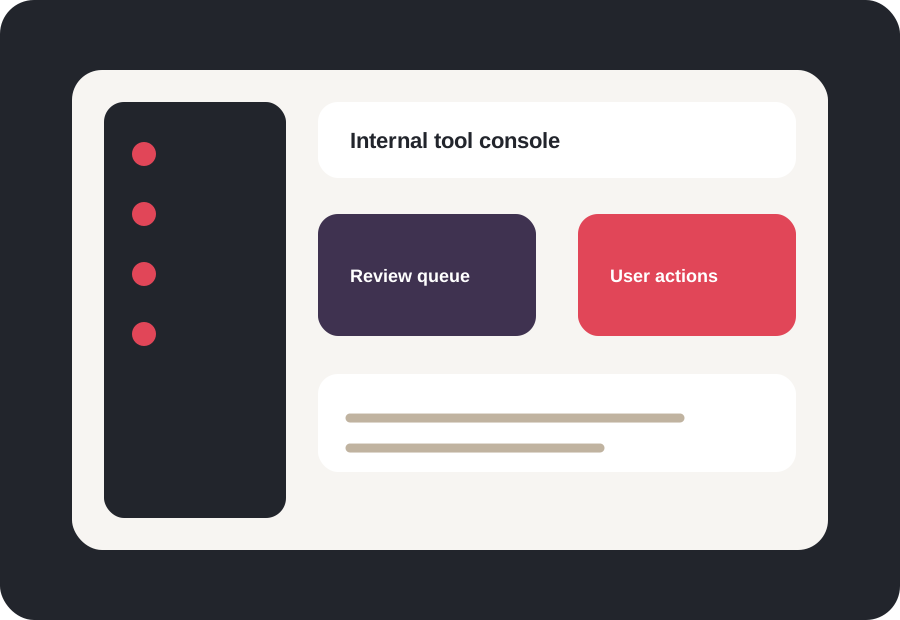
AI-enabled internal tools visual showing workflow console, review queue, dashboard, knowledge panel, and user actions.
Internal tools

AI-enabled portals and internal tools

Custom interfaces that bring AI support into the systems and processes where teams actually work.

Examples
  • Internal tools
  • Review portals
  • Knowledge portals
  • Workflow consoles
Governance notes

Permissions, audit trail, output handling, user training, and system integration.

Architecture and Integration

Built around your systems, not around a demo.

Custom AI value depends on how the system connects to your data, tools, users, review steps, and operating model.
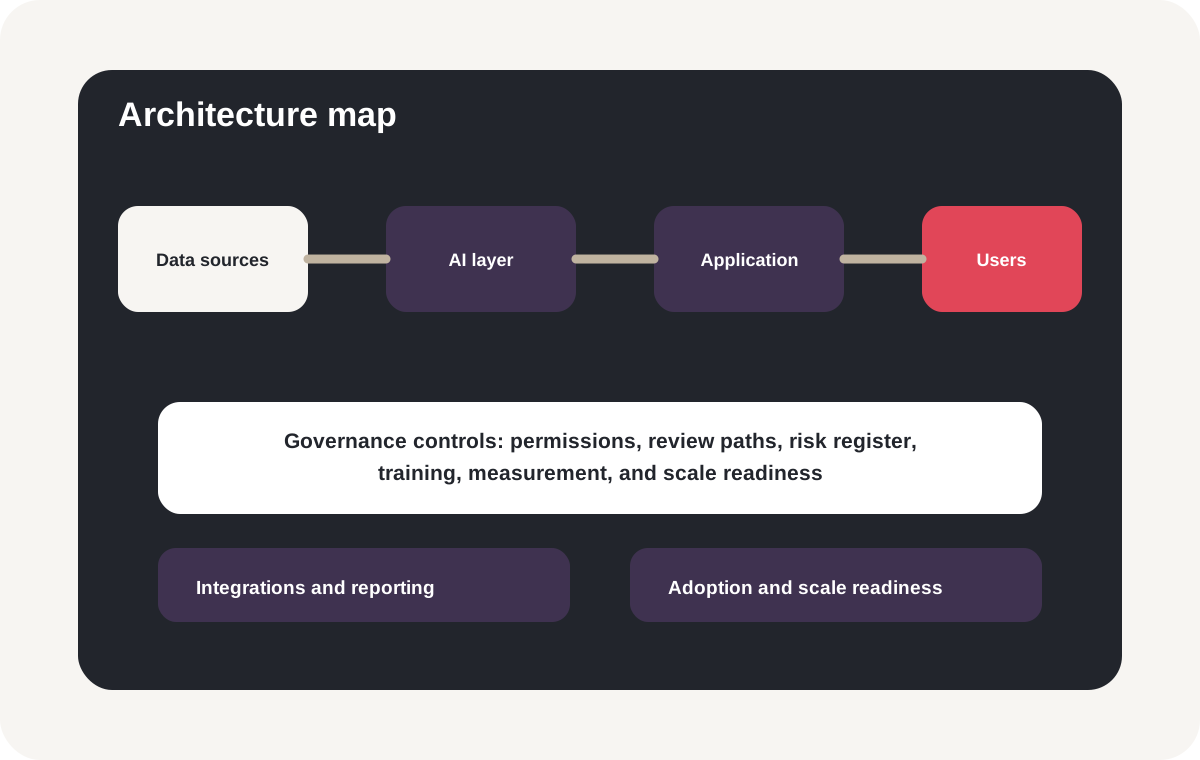
Custom AI integration architecture map showing data sources, AI and automation layer, application layer, integrations, governance controls, and measurement.

Data sources

Documents, databases, tickets, forms, files, knowledge bases, CRM/ERP records, dashboards, and operational systems.

AI and automation layer

Retrieval, summarization, classification, forecasting, computer vision, recommendations, workflow rules, and human-in-the-loop logic.

Application layer

Copilots, internal tools, portals, dashboards, workflow consoles, review queues, and user-facing assistants.

Integration layer

APIs, existing systems, permissions, notifications, reporting workflows, and data pipelines.

Governance and controls

Access boundaries, human review, approval paths, logging assumptions, risk registers, and security review materials.

Measurement layer

Adoption, cycle time, review quality, error rates, user feedback, and scale readiness.

Governance and Oversight

Governance and human oversight are built into the implementation.

Custom AI should not be a black box bolted onto a workflow. It should be designed with clear data boundaries, review points, escalation paths, user training, and accountability.
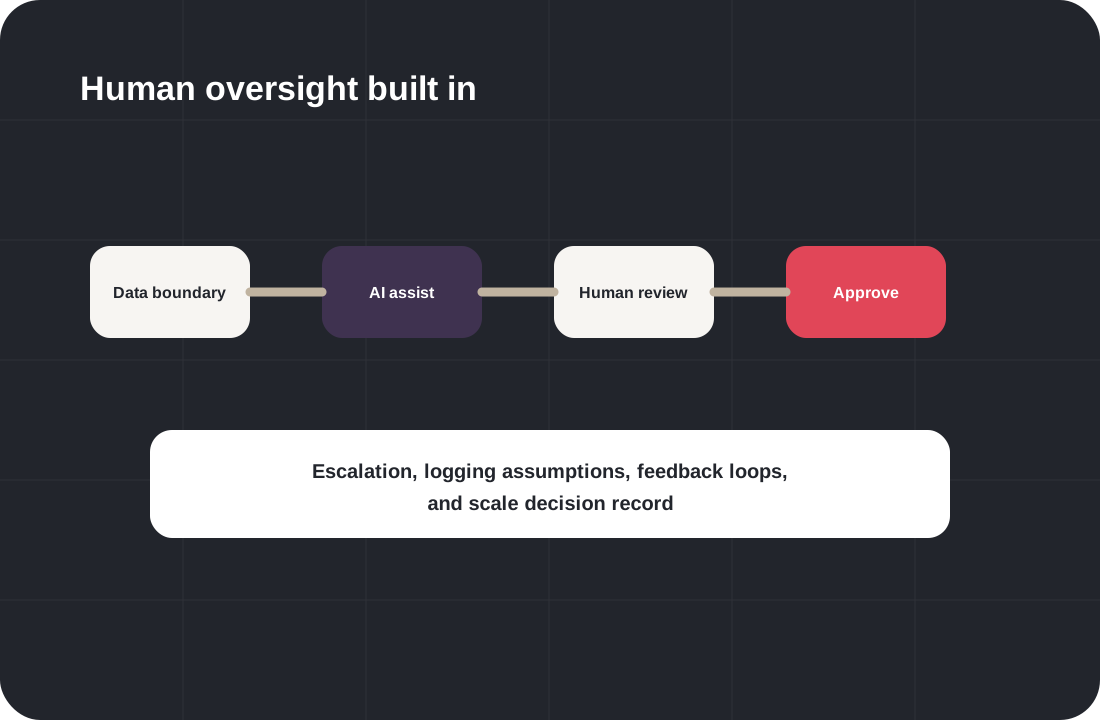
Human oversight implementation model showing data boundaries, AI assistance, review points, escalation, approval, logging, and feedback.

Use-case risk review

Clarify where risk appears before implementation expands.

Data boundary map

Define what data is in scope, out of scope, and review-sensitive.

Vendor/model review

Document model, tool, vendor, and data-processing questions.

Human review points

Design where people inspect, approve, override, or escalate outputs.

Output validation

Test usefulness, quality, assumptions, and failure modes.

Scale decision record

Make the scale, refine, pause, or stop decision explicit.

Public-Sector Ready

Custom AI implementation for public-sector and procurement-aware environments.

Government, education, nonprofit, and regulated organizations often need implementation support that is scoped, documented, reviewable, and aligned with responsible adoption.
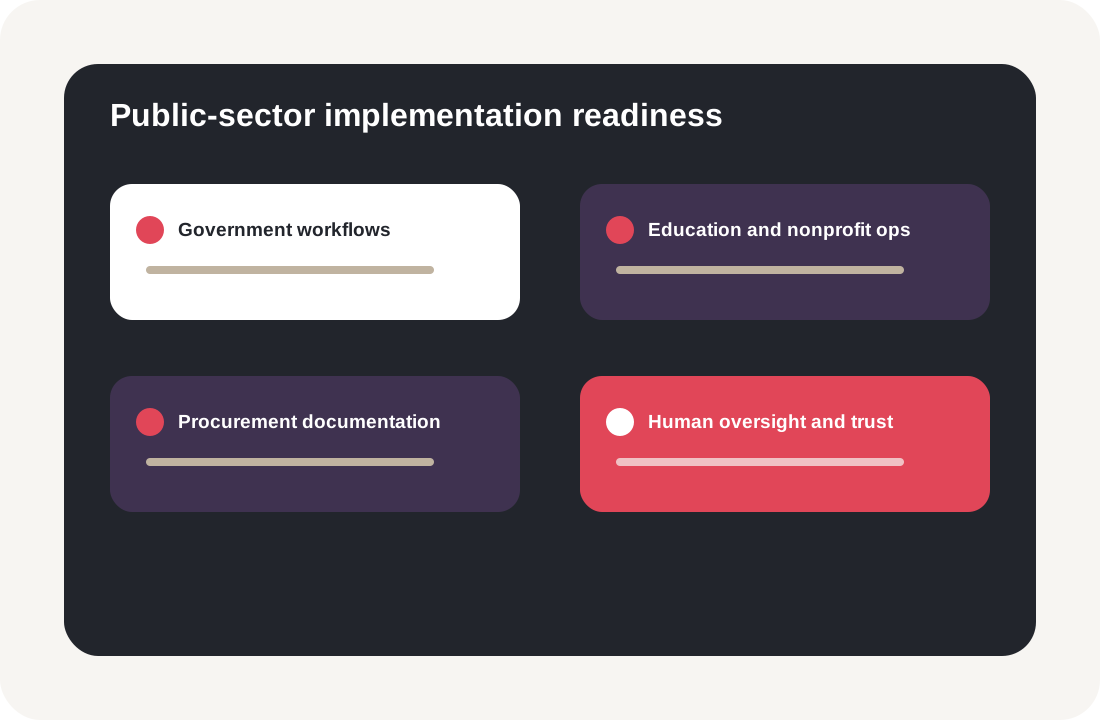
Public-sector custom AI implementation panel showing government workflows, education and nonprofit operations, procurement documentation, and human oversight.

Government and municipal workflows

Support intake, document review, public-service workflows, dashboards, reporting, knowledge assistants, and staff training.

Education, workforce, and nonprofit operations

Support staff AI literacy, grant reporting, program workflows, participant intake, knowledge management, and responsible implementation.

Procurement-aware documentation

Prepare clear scope, workflow maps, data assumptions, governance artifacts, training plans, and implementation roadmaps.

Human oversight and public trust

Design review steps, escalation paths, output handling, and risk controls for sensitive or public-sector workflows.

Implementation Artifacts

Artifacts that make custom AI implementation measurable.

Implementation should create reusable artifacts that help teams understand, review, operate, and scale the system.
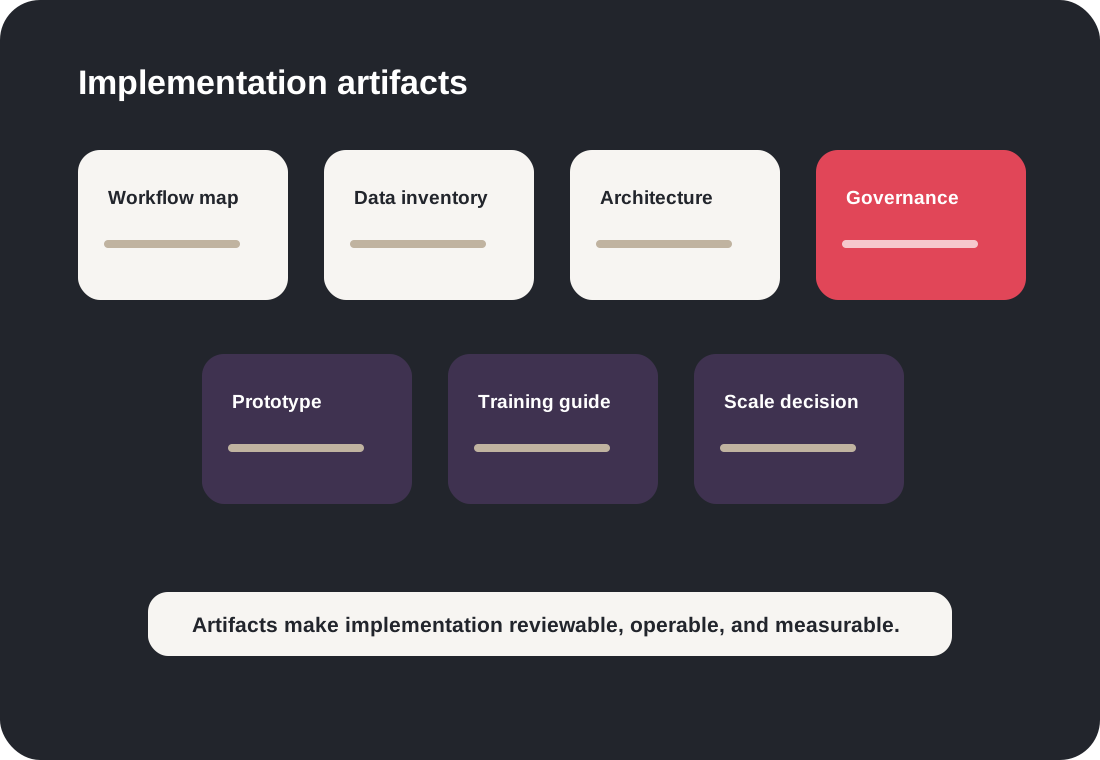
Custom AI implementation artifacts gallery showing workflow map, data inventory, architecture, governance checklist, prototype, training guide, and scale decision.
Implementation artifact

Business problem brief

What it is
A concise definition of the work, outcome, user, and constraint.
Who uses it
Executive sponsor, product owner, delivery team.
When it matters
Before build scope is approved.
Implementation artifact

Workflow map

What it is
A map of inputs, handoffs, systems, review points, and outputs.
Who uses it
Operators, users, builders, governance reviewers.
When it matters
Before architecture and automation choices are made.
Implementation artifact

Data/source inventory

What it is
A record of documents, systems, fields, access needs, and data quality questions.
Who uses it
Technical, security, and operational teams.
When it matters
Before data is connected or processed.
Implementation artifact

Solution architecture

What it is
A view of system layers, integrations, controls, and user surfaces.
Who uses it
Implementation, IT, and review stakeholders.
When it matters
Before build and integration begin.
Implementation artifact

Human oversight model

What it is
Review steps, decision authority, exceptions, and escalation paths.
Who uses it
Users, governance owners, operators.
When it matters
Before outputs influence decisions.
Implementation artifact

Measurement plan

What it is
Adoption, quality, workflow impact, risk, and user feedback indicators.
Who uses it
Leaders, implementation team, operating owners.
When it matters
Before scale decisions are made.
Implementation artifact

Launch checklist

What it is
Training, documentation, review steps, support paths, and release tasks.
Who uses it
Delivery, users, operations, support.
When it matters
Before users adopt the workflow.
Implementation artifact

Scale decision record

What it is
Evidence for whether to scale, refine, pause, or stop.
Who uses it
Sponsors, owners, governance stakeholders.
When it matters
After a prototype, pilot, or launch review.

Industry Use Cases

Custom AI use cases by industry.

Government and public sector

  • Service intake and triage
  • Document summarization
  • Procurement support
  • Policy assistants
  • Program dashboards
Explore Government AI

Education, workforce, and nonprofit

  • Staff AI literacy tools
  • Grant reporting
  • Program intake
  • Knowledge assistants
  • Workforce pathway support
Explore Education & Workforce AI

Healthcare

  • Administrative workflow support
  • Communication drafting
  • Document summarization
  • Operations dashboards
  • Risk review workflows
Explore Healthcare AI

Legal and professional services

  • Document intelligence
  • Knowledge assistants
  • Client-data boundaries
  • Review queues
  • Responsible-use workflows
Explore Legal & Professional AI

Logistics and operations

  • Forecasting
  • Routing support
  • Inventory planning
  • Workflow automation
  • Operations dashboards
Explore Logistics AI

Retail and ecommerce

  • Recommendation systems
  • Product content workflows
  • Support and returns triage
  • Inventory planning support
  • Customer trust controls
Explore Retail AI

SaaS and technology

  • AI product features
  • Internal copilots
  • User support automation
  • Recommendation systems
  • Product intelligence
Explore SaaS AI

From Strategy to Build

Many custom AI projects should not start with code.

They should start with the right assessment, workshop, or pilot scope.
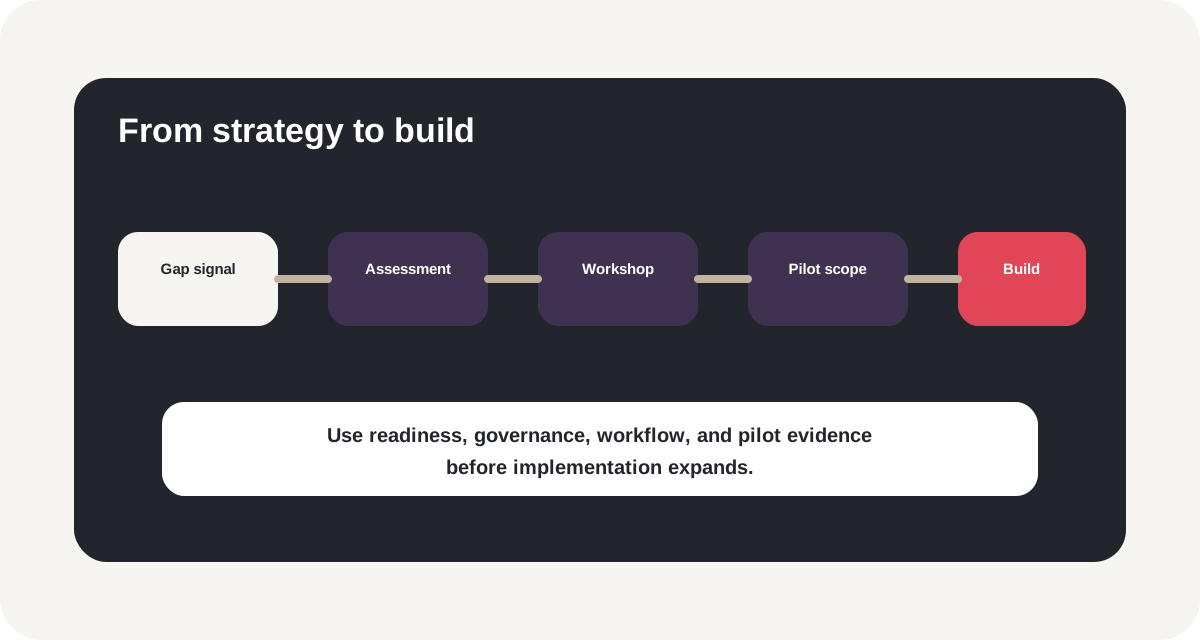
Strategy to implementation pathway showing AI Execution Gap Scorecard, assessment, workshop, pilot, governance, workflow automation, and custom implementation.
Have many AI ideas?

Strategy workshop to pilot

Need responsible guardrails?

Governance workshop to implementation

Ready for a first pilot?

Pilot scoping to build

Ways to Start

Custom AI implementation can start small, scoped, and measurable.

Implementation scoping sprint

Best for
Teams that know the workflow but need clarity on data, architecture, governance, and build path.
Outputs
  • Workflow map
  • Data/source inventory
  • Architecture sketch
  • Pilot scope
Scope an Implementation

Prototype or proof-of-work build

Best for
Teams that need to test whether a specific AI-enabled workflow is useful and feasible.
Outputs
  • Prototype
  • User feedback
  • Risk notes
  • Measurement plan
Discuss Prototype

AI workflow implementation

Best for
Teams ready to build AI into a real workflow with review, training, and adoption support.
Outputs
  • Workflow automation
  • Integration plan
  • Human review model
  • Launch plan
Discuss Workflow Implementation

Custom internal tool

Best for
Teams that need a portal, dashboard, copilot, assistant, or review console built around their operations.
Outputs
  • Internal tool
  • User workflow
  • Governance controls
  • Documentation
Discuss Internal Tool

Public-sector implementation support

Best for
Agencies, municipalities, school districts, workforce programs, nonprofits, and primes.
Outputs
  • Use-case scope
  • Governance artifacts
  • Training materials
  • Pilot roadmap
Discuss Public-Sector Implementation

Advisory + implementation support

Best for
Teams that need ongoing support across roadmap, governance, implementation, adoption, and measurement.
Outputs
  • Advisory cadence
  • Implementation backlog
  • Risk review
  • Adoption review
Discuss Ongoing Support

Implementation Outcomes

Implementation outcomes we design for.

Every custom AI project is scoped around measurable adoption, operational fit, and responsible use. Outcomes depend on the use case, data, workflow, and implementation environment.
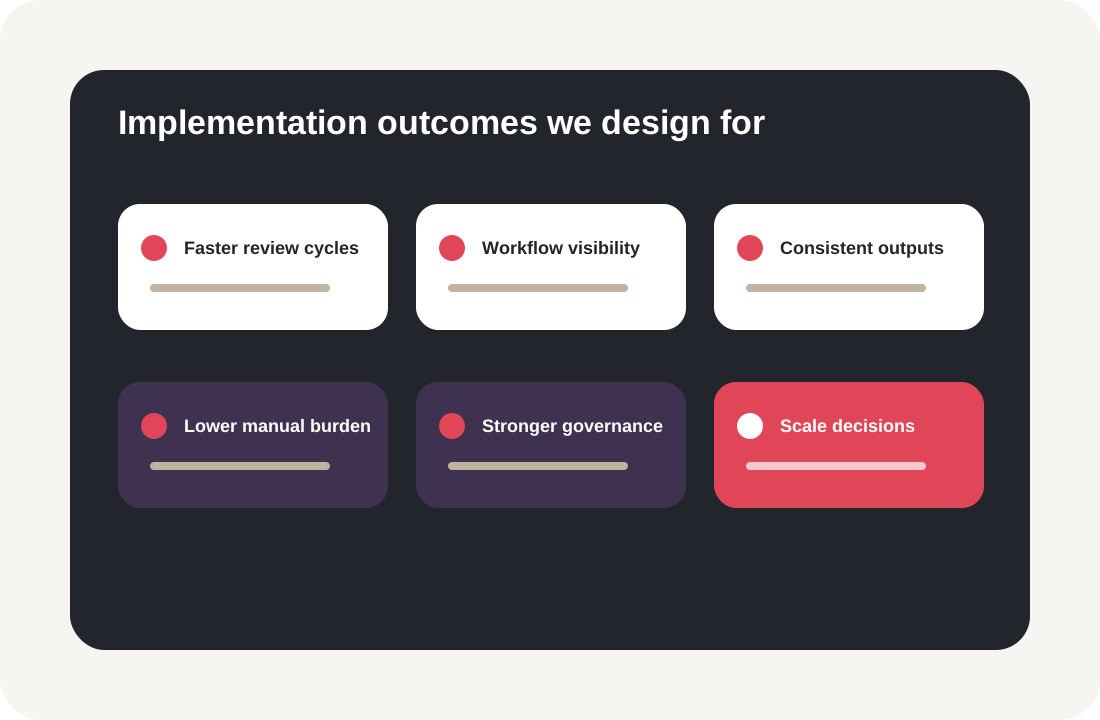
Custom AI outcomes dashboard showing faster review cycles, workflow visibility, consistent outputs, lower manual burden, stronger governance, and scale decisions.

Faster review cycles

Reduce time spent on repetitive review, summarization, intake, or routing tasks.

Better workflow visibility

Help teams see bottlenecks, ownership, status, and decision points more clearly.

More consistent outputs

Support staff with structured drafting, classification, retrieval, or review workflows.

Lower manual burden

Automate bounded tasks while preserving human judgment and approval.

Stronger governance

Document risks, controls, human oversight, vendor/model choices, and data boundaries.

Clearer scale decisions

Measure adoption, quality, user feedback, workflow impact, and whether the implementation should scale.

FAQ

Custom AI implementation FAQ

When should we choose custom AI instead of an off-the-shelf tool?

Custom AI is usually a better fit when the workflow is specific, the data sources are internal, human review is required, systems must be integrated, or governance and adoption requirements need to be built into the solution.

Do we need a clearly defined use case before starting?

No. If the use case is not clear yet, start with an AI Execution Gap Assessment, AI Strategy Workshop, Workflow Automation Workshop, or implementation scoping sprint.

What kinds of custom AI systems can InitializeAI help build?

Potential systems include document intelligence workflows, internal assistants, AI copilots, forecasting tools, dashboards, recommendation systems, visual inspection workflows, routing tools, and AI-enabled internal applications.

How do you handle sensitive data?

Data handling is defined during scoping based on the client environment, selected tools, data sources, sensitivity, access needs, and governance requirements. InitializeAI helps clarify data boundaries before implementation begins.

How do you prevent AI outputs from being used incorrectly?

Implementation design can include human review, output validation, escalation paths, user training, confidence thresholds, logging assumptions, and clear decision authority.

Can this support government or public-sector organizations?

Yes. InitializeAI can support public-sector implementation planning, staff training, governance, workflow modernization, procurement-aware documentation, and bounded AI pilots.

Can custom AI start as a prototype?

Yes. Many implementation paths should start with a scoped prototype or pilot to test usefulness, data readiness, user adoption, and risk controls before expanding.

Do you build the AI model from scratch?

Not always. The right approach depends on the use case. Some projects may use retrieval, workflow automation, APIs, existing models, custom models, dashboards, or hybrid approaches. The architecture is defined during scoping.

How is this different from Workflow Automation?

Workflow Automation focuses on mapping and improving real processes with automation and AI support. Custom AI Implementation is broader and may include internal tools, assistants, model workflows, integrations, dashboards, and custom applications. The two often overlap.

What does a project produce?

Depending on scope, deliverables may include workflow maps, data/source inventories, architecture diagrams, prototypes, internal tools, governance artifacts, training materials, measurement plans, and scale recommendations.

Implementation Inquiry

Scope a custom AI implementation.

Use this path for internal AI tools, document intelligence, copilots, dashboards, forecasting, visual workflows, recommendation systems, workflow automation, public-sector implementation, or AI prototypes.
Custom AI implementation inquiry form visual showing organization type, implementation interest, current stage, timeline, and message.
Please enter your full name.
Please enter your work email.Please enter a valid work email address.
Please enter your organization.
Please choose an implementation interest.
Please share enough context for us to route the inquiry.
Thank you. InitializeAI will review your custom AI implementation inquiry and follow up using the information provided.

Build Practical AI

Ready to build AI around the way your organization actually works?

InitializeAI can help you define the use case, map the workflow, review data and systems, design the implementation path, build responsible controls, and move from prototype to measurable adoption.

Custom AI implementation command center showing use case, workflow map, data sources, AI layer, human review, integration, governance, measurement, and scale decision.